Ippocra gives back your most valuable resource: time.
Stop spending minutes searching for records before every consultation. Your entire patient archive, organised, searchable and always with you — in every clinic.
Does this sound familiar?
Reports scattered across devices
Some on a USB key, some on the clinic PC, some on your laptop at home. Every device holds a piece of the puzzle. You lose 10–15 minutes before every consultation just looking for files.
You can't find what you wrote
A patient walks in for a follow-up. You remember writing something 8 months ago, but it's somewhere on your old laptop or on a USB stick you left at another clinic. Time wasted. Every single visit.
No longitudinal view of your patients
You see the same patient over months and years, but you have no way to quickly review their entire history. Every visit starts from scratch. That time belongs to your patients, not your filing system.
How Ippocra solves this
Import everything in one click
Select the folder where you keep your patient reports. Ippocra reads file names and folder structure to automatically assign each document to the right patient.
Find any report in seconds
Search by patient name, exam type, date or keyword. No more scrolling through folders or guessing which USB key has the file.
See each patient's full timeline
Every report you've ever written for a patient, organised chronologically. See what you noted last time, what changed, and how the patient evolved over time.
Access from any device, in any clinic
Your patient archive lives in the cloud. No USB keys to carry, no files to copy. Open Ippocra from any browser and you're ready.
Migrate your existing archive in minutes
Already have years of reports on a USB key or in a folder? Import the entire folder at once. Ippocra analyses file names and folder structure to assign each document to the right patient automatically.
1. Select your folder
Choose the folder where your reports are stored — USB key, desktop, cloud drive.
2. Automatic assignment
Ippocra reads file names and folder paths to match each document to the right patient.
3. Review and confirm
Check the suggested assignments, adjust if needed, and confirm. Your archive is ready.
After import, your daily workflow changes
No more searching through USB keys before a consultation. No more starting each visit from zero. Your entire patient archive is organised, searchable and always available.
Instant search before every consultation
Full patient history at a glance
Works across all your clinics
Studio Editor
Write, preview and brand every report
A professional document editor built for doctors — rich-text formatting, live PDF preview, branded letterheads, specialty templates and optional DICOM viewing, all in one place.
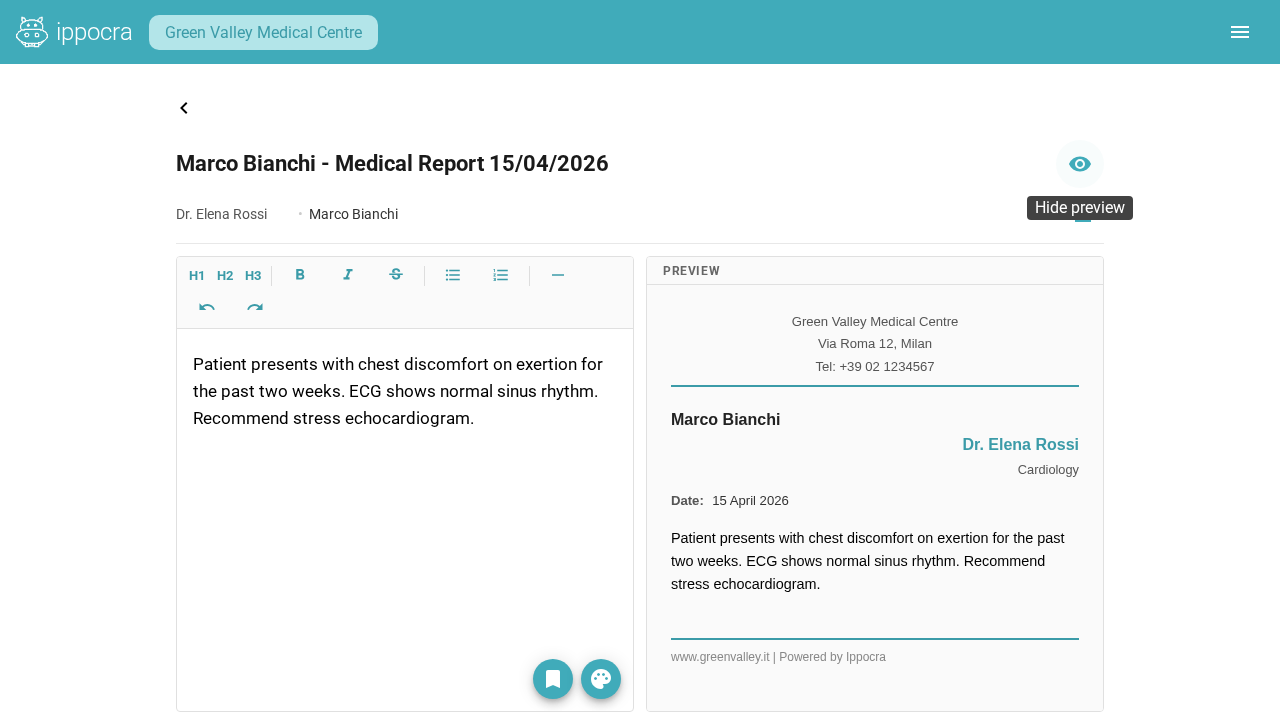
A clean writing surface, with live PDF output
- Formatting toolbar: headings, bold, italic, bullet and numbered lists, undo/redo.
- Toggle a split-screen preview to see exactly how the finished PDF will look before saving.
- Automatic draft recovery: unsaved work is restored if the browser closes unexpectedly.
- Attach DICOM studies and share the finished report with the patient via IppoLink.
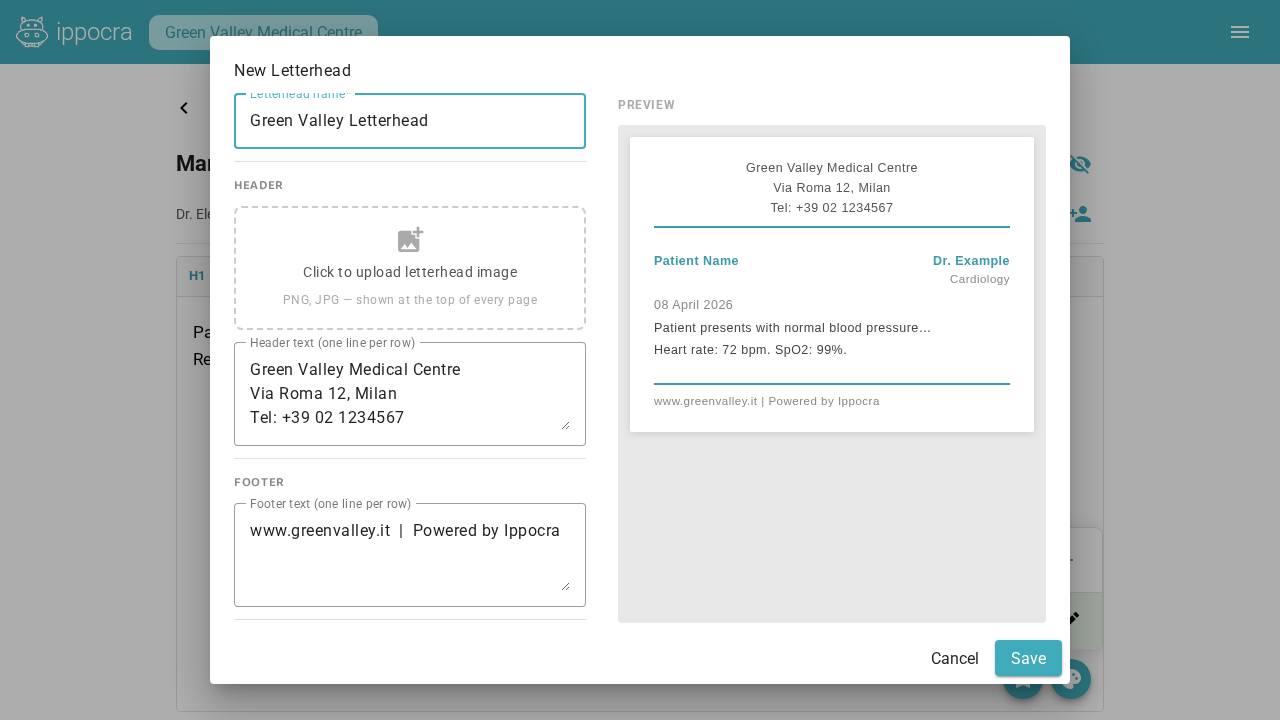
Brand every document with your practice letterhead
- Upload your clinic logo — it appears at the top of every page.
- Set accent colour, font, header and footer text to match your practice identity.
- Save multiple themes; the live A4 preview updates in real time as you edit.
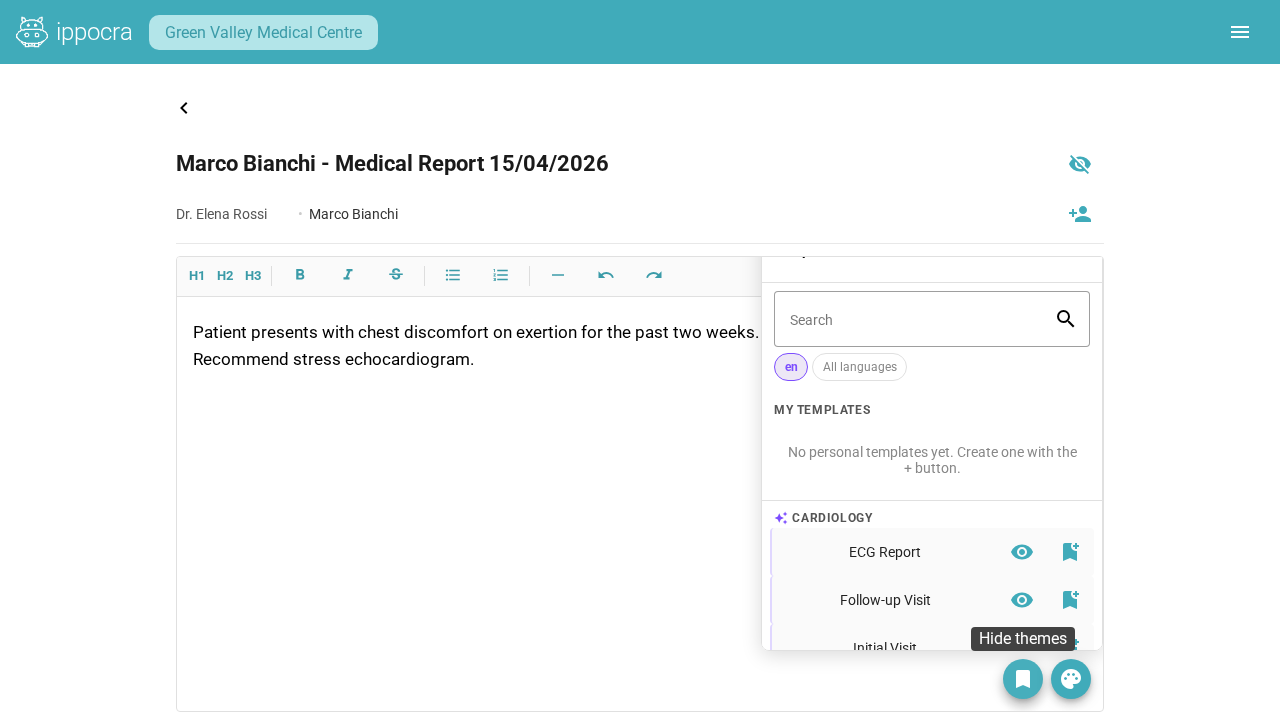
Start every report from a specialty template
- Browse templates grouped by specialty and insert with one click.
- Save any report as a reusable template for your own workflow.
- Create, edit and organise templates from the slide-out panel inside the editor.
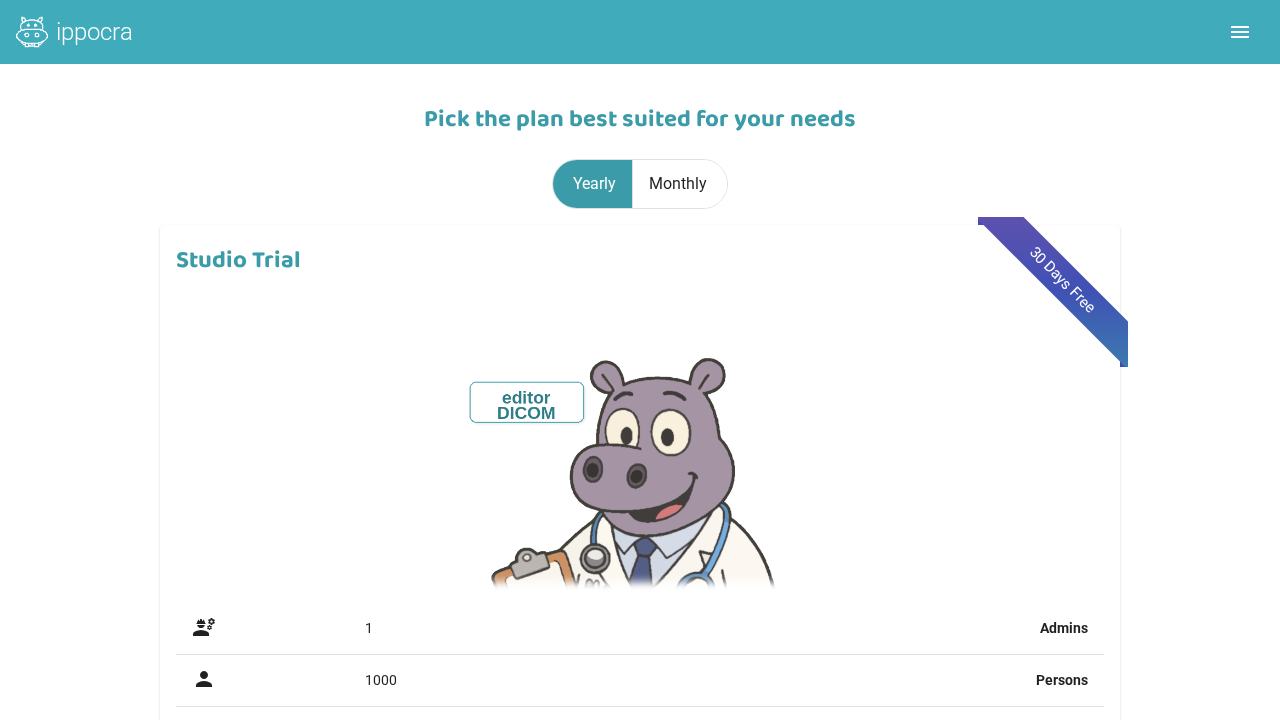
30-day trial
Try the full Studio Editor + DICOM experience free
Your trial includes the highest Studio tier, with 1 doctor/admin account, 2,000 documents/year and full patient management. No credit card required.
- Studio Editor + DICOM Viewer included
- 1 doctor/admin account and 2,000 documents/year
- Choose Studio, Studio Editor or Studio Editor + DICOM after the trial
- Guided Quick Start checklist inside the app
Need a walkthrough?
Tell us about your workflow and we'll show you how the new Studio Editor and trial fit into your practice.
Want a walkthrough?
Tell us about your workflow and we'll show you how Ippocra fits into your daily practice.
Request a free walkthrough
Frequently asked questions
If you have any other questions, contact us and we'll be happy to help.