Ippocra Studio Editor: Write, Preview and Brand Every Medical Report
Writing a medical report should take minutes, not half an hour. With the new Ippocra Studio Editor, every doctor has a professional document environment — rich-text formatting, a live A4 PDF preview, personalised letterheads, specialty templates and optional DICOM viewing — all in one place, accessible from any browser.
What Is the Studio Editor?
The Studio Editor is Ippocra’s built-in professional report-writing tool. It replaces the basic editor we launched when we first introduced report writing inside Ippocra with a far more capable environment designed to match the workflow of a busy specialist.
Whether you see five patients a day or fifty, the Studio Editor adapts to your pace:
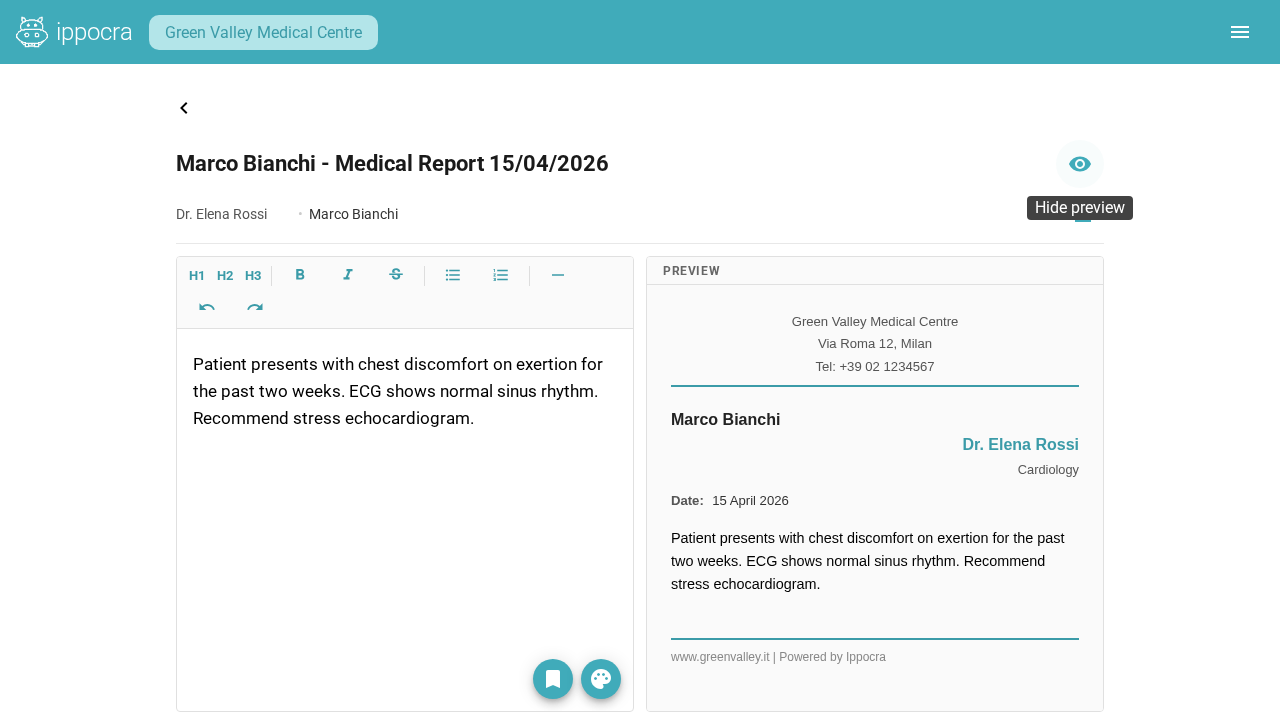
- Rich-text formatting — headings, bold, italic, bullet and numbered lists, undo/redo, all in a clean writing surface.
- Live split-screen PDF preview — toggle a side-by-side view to see exactly how the finished document will look before you save or send it.
- Automatic draft recovery — if your browser closes unexpectedly, your unsaved work is restored the next time you open the editor.
- DICOM attachment — attach diagnostic imaging studies directly to the report and share everything with the patient in one step via IppoLink.
A Clean Writing Surface, With Live PDF Output
The most requested improvement from our doctors was simple: show me what the final document will look like while I type. That is exactly what the split-screen preview does.
On the left you write; on the right you see a pixel-accurate A4 preview with your letterhead applied. No surprises when you hit save. No reformatting after the fact.
Brand Every Document With Your Practice Letterhead
A report is not just a clinical document — it is also a reflection of your practice. The Studio Editor lets you upload your clinic logo, choose an accent colour, set the font, and define header and footer text. Save multiple themes and switch between them instantly.
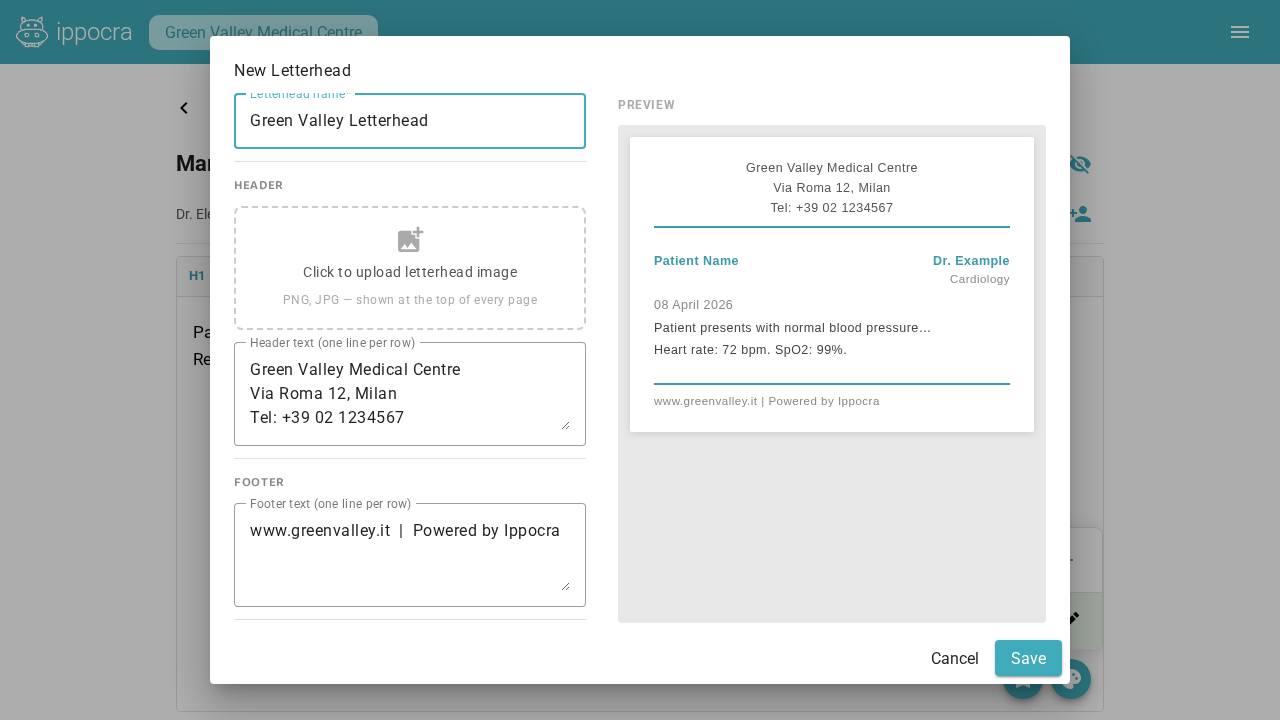
The live preview updates in real time as you adjust colours and typography — what you see is exactly what your patients will receive. A consistent, branded document builds trust and reinforces the long-term relationship between you and your patients.
Start Every Report From a Specialty Template
No doctor should have to type the same boilerplate structure for every cardiology follow-up or orthopaedic consultation from scratch. The Studio Editor ships with a growing library of templates organised by specialty.
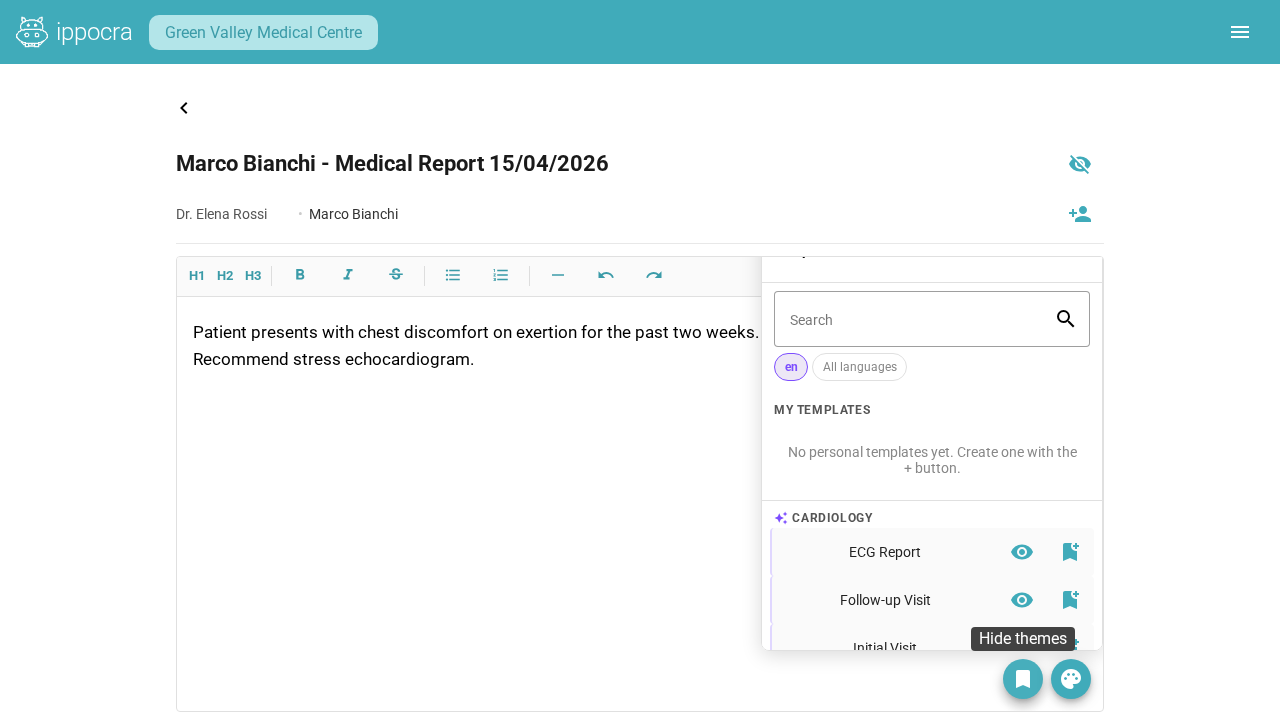
- Browse templates by specialty and insert with one click.
- Save any report you’ve written as a reusable template for your own workflow.
- Create, edit and organise your custom templates from the slide-out panel inside the editor.
The result: the structure of every report is consistent and professional, and you focus entirely on the clinical content that matters.
Security, Compliance and IppoLink Sharing
Every document created in the Studio Editor is stored encrypted (AES-256 at rest, TLS 1.3 in transit) in GDPR-compliant European infrastructure. This is not an optional extra — the law requires strict archiving standards for medical reports, and Ippocra is built to meet them from the ground up.
Once a report is saved, you can share it with the patient instantly via an IppoLink — a secure, time-limited link that does not require the patient to create an account. The patient can view and download their document from any device.
Who Should Use the Studio Editor?
The Studio Editor is available on the Studio Editor and Studio Editor + DICOM plans, both accessible through the 30-day free trial — no credit card required. It is built for:
- Specialist doctors (cardiologists, neurologists, orthopaedic surgeons, radiologists, and more) who produce structured reports after every consultation.
- General practitioners who want a professional, consistent format for their documents without managing complex word-processing software.
- Multi-clinic practitioners who need their entire patient archive and writing tool in one place, accessible from any device in any clinic.
Start your free 30-day trial →
Frequently Asked Questions
Does the Studio Editor work on mobile? Yes. Ippocra is a progressive web app that runs on any modern browser — desktop, tablet, and mobile. The editor is fully responsive, though for extended writing sessions a laptop or desktop is recommended.
Can I attach images and diagnostic files to a report? Yes. With the Studio Editor + DICOM plan you can attach imaging studies directly to the report. Patients receive the full document and the imaging data in a single, secure IppoLink.
Is there a limit on how many reports I can write? The Studio Editor plans include 2,000 documents per year. If your practice produces more, contact us at info@ippocra.com and we’ll find the right solution for you.
Can I migrate my existing reports to Ippocra? Yes. Use Ippocra’s folder import feature to upload your existing archive in one go. The system analyses file names and folder structure to assign each document to the right patient automatically.
How does the letterhead customisation work? From inside the editor, open the Theme Manager, upload your clinic logo (PNG or SVG), choose your accent colour and font, and set the header and footer text. Save the theme and it is applied to every new report automatically.